
Appearance
Formulas without spreadsheets: the Query Editor
"Formula" tends to make people nervous — it sounds like something that belongs in a spreadsheet, written by whoever on the team is good with spreadsheets. In Axiomers, a formula is closer to a sentence: pick some fields, say what to do with them, see the answer.
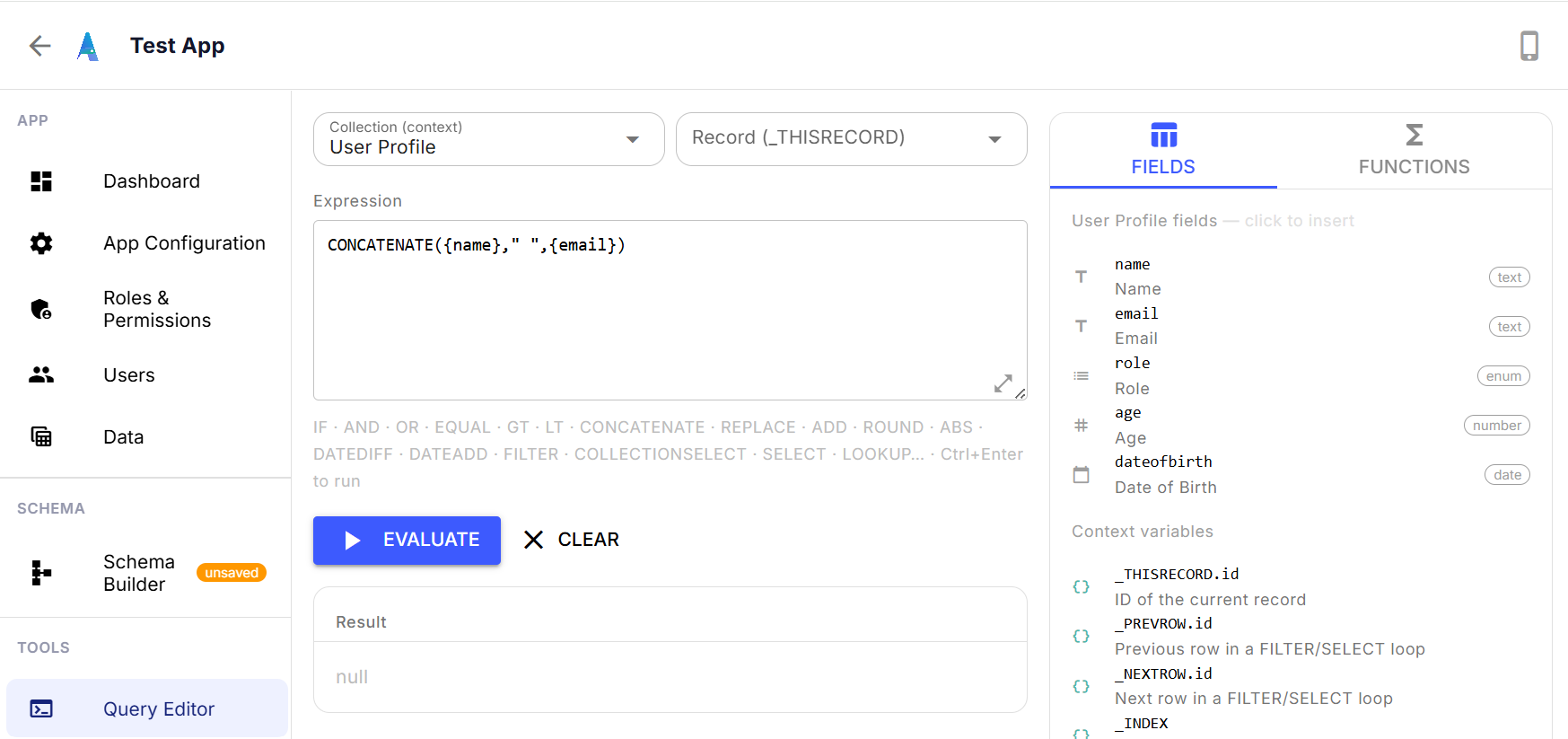
The Query Editor is where you write and test one of these before it goes anywhere near a real field. Pick a collection, pick a record to test against, and write the expression — here, CONCATENATE({name}," ",{email}), which just joins someone's name and email into one line. Hit Evaluate, and the result shows up immediately below, against real data. No saving, no risk, no waiting to see if it works.
The right-hand panel is the part that removes the guesswork: every field on the collection you're working with, listed by name and type, click to insert. Below that, the context variables — things like _THISRECORD.id — that only make sense inside certain kinds of formulas, like a filter or a loop. You don't need to remember the exact syntax; you can see what's available and click it in.
This is also just a good habit regardless of how comfortable you are with formulas: test it here first, confirm the result looks right, then wire it into the field that'll actually use it. It turns "I hope this formula works" into "I already checked."